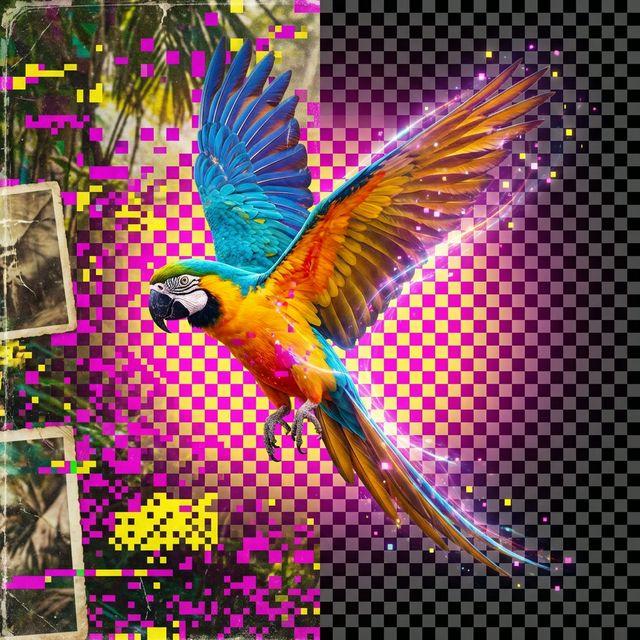
Introduction : La révolution de la segmentation d'images
Pendant des décennies, supprimer l'arrière-plan d'une image était un rite de passage pour les aspirants graphistes. Cela nécessitait des heures de travail minutieux avec l'« outil Plume » ou la « baguette magique », à tracer manuellement les bords, à affiner les mèches de cheveux et à ajuster les masques. C'était une tâche fastidieuse et pleine de frictions qui se dressait souvent entre une idée créative et son exécution.
Aujourd'hui, nous sommes au milieu d'une révolution de l'IA. Ce qui prenait quarante minutes de travail manuel prend maintenant quatre secondes de traitement machine. La technologie derrière tout cela – la vision par ordinateur et l'intelligence artificielle – a démocratisé la conception professionnelle, permettant à quiconque de créer du contenu visuel de haute qualité. Dans ce guide, nous explorerons la science de la segmentation d'images par IA, l'essor des réseaux de neurones et comment vous pouvez utiliser le suppresseur d'arrière-plan Toolifix pour transformer vos photos instantanément.
1. La technologie derrière la magie : Réseaux de neurones et CNN
Comment un ordinateur « sait-il » ce qu'est une personne et ce qu'est un arbre ? Il ne voit pas des objets ; il voit une grille de pixels avec des valeurs numériques représentant des couleurs. Pour combler ce fossé, les scientifiques en IA utilisent des réseaux de neurones convolutionnels (CNN).
Le processus d'entraînement
L'intelligence artificielle est entraînée sur des millions d'images où des humains ont déjà marqué le premier plan et l'arrière-plan. Grâce à ce processus, l'IA apprend à reconnaître des motifs – la courbe d'une épaule, la texture d'un tissu, le contraste entre un visage et le ciel. Elle construit un modèle mathématique de l'« objectité », lui permettant de différencier les sujets de leur environnement avec une précision étonnante.
Segmentation sémantique vs. segmentation d'instance
Dans le monde de l'IA, il existe différents niveaux de « vision ». La segmentation sémantique identifie la catégorie de chaque pixel (par exemple, « ce pixel appartient à une voiture »). La segmentation d'instance va plus loin, en identifiant des objets individuels (par exemple, « c'est la voiture A et c'est la voiture B »). Notre suppresseur d'arrière-plan utilise une segmentation d'instance avancée pour isoler le sujet principal tout en ignorant les décors complexes ou encombrés.
2. Cas d'utilisation professionnels : Du e-commerce à l'image de marque
La suppression d'arrière-plan n'est pas seulement pour le plaisir ; c'est un composant critique de l'économie numérique moderne.
E-commerce et photographie de produits
Sur des plateformes comme Amazon ou Shopify, la cohérence est essentielle. Un arrière-plan blanc et propre élimine les distractions et fait ressortir les produits. Cependant, prendre chaque photo dans un studio professionnel est coûteux. La suppression d'arrière-plan par IA permet aux propriétaires de petites entreprises de prendre une photo sur leur table de cuisine et de la transformer en une photo de produit professionnelle en quelques secondes, économisant ainsi des milliers de coûts de production.
Image de marque personnelle et médias sociaux
Votre photo de profil est votre poignée de main numérique. Que ce soit pour LinkedIn ou un portfolio personnel, un portrait net et isolé semble nettement plus professionnel. En supprimant un arrière-plan de bureau chargé ou une chambre en désordre, vous pouvez vous placer devant un fond neutre et élégant ou une couleur de marque vive, élevant instantanément votre présence en ligne.
Publicité et art composite
Les graphistes utilisent la suppression d'arrière-plan pour créer des « composites » – des images où les sujets sont déplacés dans des environnements entièrement nouveaux. Un mannequin dans un studio peut être placé au sommet d'une montagne ou dans une ville futuriste. Cette liberté créative n'est possible que grâce à une segmentation de haute qualité qui préserve les détails des bords comme les cheveux et la transparence.
3. Comment obtenir les meilleurs résultats : Le rôle du contraste
Bien que l'IA soit puissante, elle repose toujours sur la qualité des données d'entrée. Pour obtenir une « découpe parfaite » avec l'outil Toolifix, suivez ces principes :
Éclairage et séparation
L'IA cherche les bords. Si votre sujet porte une chemise verte devant une forêt verte, l'IA peut avoir du mal à trouver la limite. Pour de meilleurs résultats, assurez-vous que votre sujet est bien éclairé et qu'il existe un contraste de couleur ou de luminosité visible entre lui et l'arrière-plan.
La résolution compte
Plus l'IA a de pixels à traiter, mieux elle peut définir les détails fins comme les cheveux ou les bijoux. Évitez les images floues ou de basse résolution si vous avez besoin d'un résultat de qualité professionnelle. Un original de haute qualité mène à une transparence nette et précise.
4. L'évolution de l'espace de travail : L'IA comme collaboratrice
Nous entrons dans une ère où l'IA ne remplace pas le designer ; elle remplace le travail ingrat. En supprimant la phase de « traçage et masquage » d'un projet, les designers peuvent passer plus de temps sur la stratégie, la théorie des couleurs et la composition. Les outils d'IA comme le nôtre deviennent des composants essentiels de la « pile » créative, aux côtés des logiciels traditionnels de mise en page et d'édition.
5. FAQ : Maîtrisez votre édition d'images
Q : La qualité de l'image diminue-t-elle après la suppression de l'arrière-plan ?
R : Notre outil est conçu pour préserver autant que possible les détails du sujet d'origine. Bien que le fichier final soit converti en PNG (pour prendre en charge la transparence), nous visons une extraction sans perte des pixels de premier plan.
Q : L'IA fonctionne-t-elle sur les photos de groupe ?
R : Oui ! Notre modèle est formé pour reconnaître plusieurs sujets humains. Il identifiera toutes les personnes proéminentes au premier plan et les isolera de l'environnement.
Q : Puis-je l'utiliser pour des sujets non humains comme des animaux ou des voitures ?
R : Absolument. Le modèle d'« objectité » ne se limite pas aux personnes. Il fonctionne exceptionnellement bien pour les produits, les animaux de compagnie, les véhicules et tout objet distinct avec un bord clair.
Conclusion : La liberté créative pure
La capacité d'isoler un sujet de son environnement est l'un des outils les plus puissants de la boîte à outils du communicateur visuel. Elle permet de créer de la concentration, du contexte et de la beauté là où il y avait autrefois de l'encombrement. Avec Toolifix, ce pouvoir n'est plus enfermé derrière une courbe d'apprentissage abrupte ou des abonnements logiciels coûteux.
Téléchargez votre première image dès aujourd'hui et voyez la magie par vous-même. Votre parcours créatif ne fait que commencer.
Transformez vos photos instantanément
Découvrez la puissance de la segmentation IA de qualité professionnelle et obtenez des PNG transparents en quelques secondes.
Commencer à supprimer les arrière-plans